Data Centers, Data Wiping, Cloud Mac

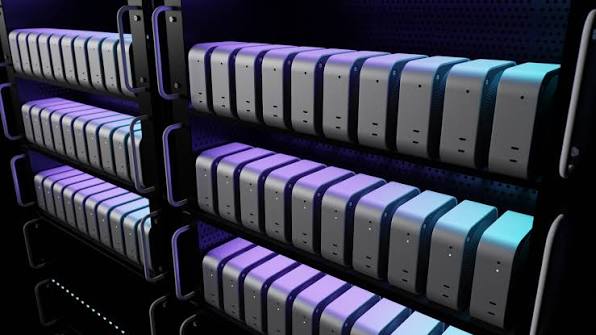
How Data Centers Ensure Security and Data Wiping on Rented Cloud Macs

1. Understanding Security on Rented Cloud Macs Rented cloud Macs provide access to Apple hardware through a remote connection. This setup supports app development, software testing, and other technical tasks without requiring a physical Mac at every workplace. However, storing files on a rented machine creates important security responsibilities. Cloud Macs Security helps protect business information from unauthorized access and…
ML Model Conversion and On-Device Inference

Core ML Model Conversion and On-Device Inference Testing in the Cloud

Machine learning is becoming an important part of modern iOS and macOS applications. Features such as image recognition, text classification, and object detection can run directly on Apple devices. However, a model trained with another machine learning framework may require conversion before integration into an Apple application. ML Model Conversion helps prepare trained models for Apple’s Core ML environment. Cloud-based…

Progressive Web Apps

Testing Progressive Web Apps (PWAs) on iOS Simulators in the Cloud

Progressive Web Apps (PWAs) combine website technology with features commonly found in mobile applications. These applications can provide responsive layouts, offline access, and installation options on supported devices. However, browser behavior can differ across operating systems. Testing on an iOS simulator helps developers identify problems before releasing a website to the public. Progressive Web Apps provide a flexible option for…

NET MAUI

NET MAUI Cross-Platform Development Workflow Using Remote macOS Servers

NET Multi-platform App UI, known as .NET MAUI, allows developers to create applications for Android, iOS, macOS, and Windows using a shared C# project. This approach reduces repeated development work. However, Apple application builds require macOS and Apple development tools. NET MAUI development with a remote Mac server provides access to these tools without requiring a dedicated Mac at every…

Electron Apps

How to Build Electron Apps for macOS on Cloud Apple Silicon Hardware

Electron supports desktop software built with familiar web technologies. HTML creates the interface, CSS controls its appearance, and JavaScript manages application behavior. However, a macOS release still requires a suitable Mac environment. Cloud Apple Silicon hardware provides access to a remote Mac without requiring a physical Mac for every developer. This setup supports the process of building, testing, signing, and…

CI/CD pipeline

Securing Your CI/CD Pipeline: Best Practices for Cloud Mac Server Access

Modern software development depends on automated systems that build, test, and release applications. Cloud Mac servers support this process by providing remote macOS environments for development teams. These servers can run Xcode builds, automated tests, and application deployment tasks. However, remote access also creates security risks when access controls are weak. CI/CD pipeline security is important for protecting source code,…

Scaling Mac Build Infrastructure: When to Upgrade from 1 to 5 Cloud Mac Minis

Mobile development projects often begin with a single Mac Mini for building and testing applications. This setup can support a small team with a limited number of daily changes. As projects grow, build requests increase and testing becomes more demanding. A single machine may struggle to complete every task within the required time. Mac build infrastructure becomes an important consideration…

Cloud macOS

Managing Ephemeral vs. Persistent Build Environments on Cloud macOS

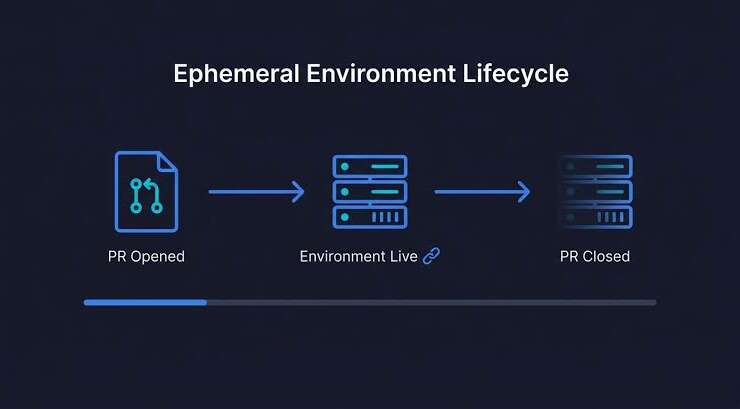
Cloud macOS hosting provides a flexible way to build, test, and release applications for Apple devices. A reliable CI/CD pipeline needs a suitable build environment to complete these tasks. The choice between temporary and long-running environments affects build speed, security, maintenance, and operating costs. Understanding Ephemeral vs. Persistent build environments helps DevOps teams select a setup that matches project requirements.…

Debug iOS Apps

How to Debug iOS Apps Locally While Running Builds on a Remote Mac Mini

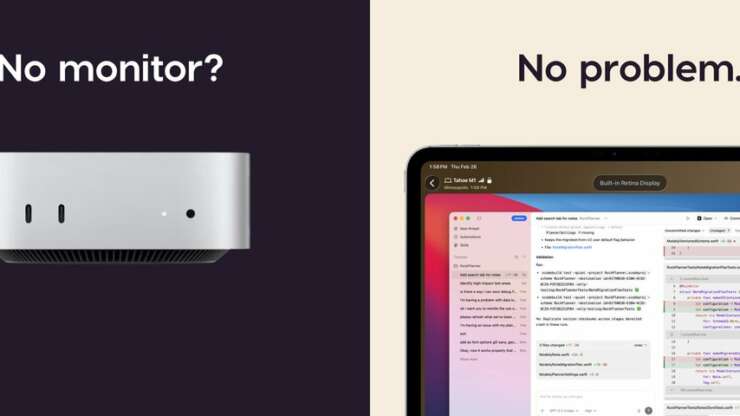
Developing an iOS application requires a reliable environment for writing code, building projects, and finding errors. Xcode provides useful tools for checking application behavior and identifying problems during development. A local computer can handle everyday coding tasks while a remote Mac Mini manages demanding build processes. This arrangement separates coding activities from compilation work. Learning to Debug iOS Apps in…

Managing Code Signing Certificates and Provisioning Profiles on Remote macOS Servers

  Preparing an iOS application ona remote Mac involves more than installing Xcode. Each build must use the correct signing identity and provisioning settings before testing or distribution. Code Signing Certificates help confirm the developer identity attached to an application. A provisioning profile defines which signing identities, app identifiers, devices, and permissions are allowed for a particular purpose. Remote access…