
Mobile development projects often begin with a single Mac Mini for building and testing applications. This setup can support a small team with a limited number of daily changes. As projects grow, build requests increase and testing becomes more demanding. A single machine may struggle to complete every task within the required time.
Mac build infrastructure becomes an important consideration when development teams need faster builds and more reliable delivery. Adding Cloud Mac Minis can increase available capacity and allow several jobs to run at the same time. However, expansion should follow actual workload requirements rather than assumptions about future growth. A clear Mac build infrastructure plan helps teams understand when extra computing resources are necessary.
1. Recognizing the Limits of One Cloud Mac Mini
A single Cloud Mac Mini offers a straightforward starting point for CI/CD automation. One machine can handle compilation, automated testing, code signing, and application packaging. This arrangement keeps administration simple and makes resource usage easier to monitor.
Problems can appear when several developers submit changes simultaneously. A new build may need to wait until an existing test finishes. Large projects can also consume significant processor capacity, memory, and storage. These delays reduce the benefits of automated development workflows.
Effective Mac build infrastructure should provide enough capacity for regular development tasks. Build queues that grow throughout the day indicate a possible shortage of resources. Repeated delays during release preparation may also suggest that additional machines are necessary. Monitoring Mac build infrastructure helps identify whether the main issue comes from limited capacity or inefficient pipeline settings.
2. Identifying the Right Time to Scale
Build duration is one useful measurement when reviewing infrastructure performance. A build that previously finished within ten minutes may take considerably longer during busy periods. The increase could indicate resource pressure or inefficient pipeline settings.
Queue time is another important signal. Long waiting periods can delay code reviews and prevent developers from receiving test results quickly. Monitoring failed jobs, processor usage, memory pressure, and daily build volume helps identify the main cause.
Before expanding Mac build infrastructure, teams should review several weeks of CI/CD records. This approach separates temporary workload increases from regular capacity problems. Cache settings, unnecessary pipeline stages, and repeated dependency downloads should also be reviewed before additional machines are purchased. These checks help ensure that Mac build infrastructure improvements address genuine performance problems instead of avoidable configuration issues.
3. Understanding the Move from One to Five Machines
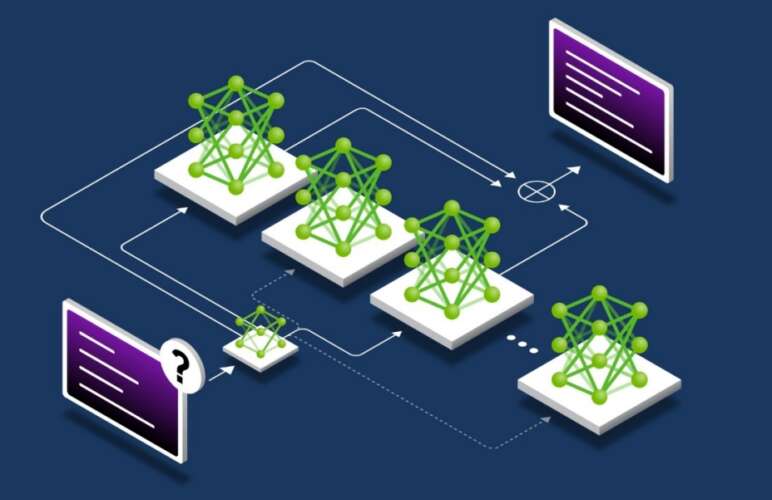
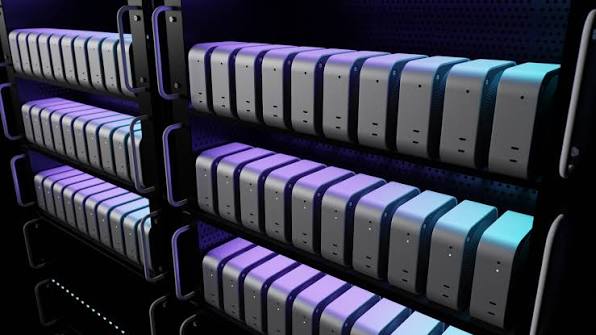
Moving from one Cloud Mac Mini to five creates more opportunities for parallel execution. Each machine can handle assigned tasks instead of forcing every job into one queue. The benefit depends on workload distribution and the ability of the CI/CD platform to manage multiple runners.
A two-machine setup can provide an initial improvement for teams experiencing moderate demand. One machine can handle application builds while another runs automated tests. This arrangement reduces competition between resource-intensive tasks.
Three Cloud Mac Minis can support separate workflows for development builds, testing, and release preparation. Four machines may be suitable when several projects require independent build capacity. Five machines can support a larger workload with more concurrent jobs and clearer separation between development activities.
Scaling Mac build infrastructure should happen in stages. Each additional machine needs a clear purpose. Without proper job allocation, extra capacity may remain unused while certain runners continue to experience long queues. A structured Mac build infrastructure expansion also makes it easier to compare performance before and after each upgrade.
4. Improving CI/CD Job Distribution
Adding machines alone does not guarantee faster delivery. Pipeline configuration must allow suitable jobs to run concurrently. Runner labels, workload rules, and job dependencies should direct tasks to appropriate machines.
Independent testing jobs can often run in parallel. Application compilation may require separate resources from simulator testing. Release jobs may need a dedicated environment with the correct certificates and provisioning profiles.
Well-planned Mac build infrastructure makes these responsibilities easier to manage. Shared configuration standards help maintain consistent software versions across machines. Build caches and dependency management can also reduce repeated work. Proper scheduling allows Mac build infrastructure to handle more tasks without placing unnecessary pressure on individual runners.
For more guidance on planning runner capacity and workload requirements, consult the GitLab guide to scaling runner infrastructure. The documentation explains important planning factors such as computing capacity, storage, network performance, and job types.
5. Managing Costs and Resource Usage
Five Cloud Mac Minis usually cost more than a single machine. The additional expense should be compared with improvements in development speed and delivery reliability. Faster feedback can help reduce waiting time across the development team.
A practical Mac build infrastructure plan begins with a monthly budget. The estimate should include machine rental, storage, backups, network usage, and administration. Extra capacity should match a measurable need rather than remain unused for long periods.
Resource monitoring helps identify machines with consistently low utilization. Workloads can then be reassigned to improve efficiency. Build schedules may also be adjusted when certain tasks do not require immediate execution.
Cost control does not mean selecting the smallest possible setup. A low-cost environment can become expensive when long queues repeatedly delay releases. The goal is to balance operating costs with suitable build performance. Reviewing Mac build infrastructure costs regularly helps teams decide whether existing resources are being used effectively. Efficient Mac build infrastructure helps balance computing capacity with operating costs as development workloads continue to grow.
6. Maintaining Security and Consistency
Each additional Cloud Mac Mini introduces another environment that requires maintenance. Operating system updates, Xcode versions, developer tools, and runner settings should follow an agreed standard. Consistent configurations reduce unexpected differences between build results.
Code signing credentials require careful protection. Access permissions should be limited to approved users and automation processes. Sensitive files should not be copied between machines without a clear security requirement.
Reliable Mac build infrastructure also needs regular backups for important configuration files and recovery procedures for machine failures. Monitoring alerts can help identify disconnected runners and failed jobs before the problem affects an entire release cycle. Consistent maintenance keeps Mac build infrastructure stable as the number of machines increases.
Remote debugging may also be needed when a build fails on a hosted machine. The guide to debugging iOS apps locally provides related information about investigating application issues during development.
7. Creating a Practical Scaling Plan
A successful expansion begins with clear performance targets. Useful measurements include average build duration, queue waiting time, concurrent jobs, failure rates, and cost per successful build. These figures provide a baseline for evaluating each upgrade.
Start by improving the existing pipeline and recording its performance. Add a second Cloud Mac Mini when queue delays remain frequent. Review the results before moving to three machines. Continue expanding only when workload evidence supports the next step.
This staged approach keeps Mac build infrastructure manageable while giving the team time to improve runner configuration. Capacity reviews should continue after each expansion. Changes in project size, developer numbers, and release schedules may create different requirements over time.
A documented Mac build infrastructure plan should define when new machines are added and which performance targets must be achieved. This gives technical teams a consistent method for reviewing capacity. Regular reports can also show whether additional runners improve delivery speed and reduce waiting time. A scalable Mac build infrastructure supports faster builds and more reliable CI/CD workflows as project requirements increase.
Conclusion
Expanding from one to five Cloud Mac Minis can improve CI/CD performance when development demand exceeds available capacity. The right time to upgrade depends on queue delays, build duration, concurrent workloads, and operating costs.
Strong Mac build infrastructure requires more than additional hardware. Efficient job distribution, consistent configurations, security controls, and regular performance reviews are equally important. A gradual expansion based on real measurements helps development teams increase capacity without unnecessary spending.
The best Mac build infrastructure setup is one that matches actual workload requirements and supports future development needs. By reviewing performance after every upgrade, development teams can build a more dependable environment for growing iOS and macOS projects.