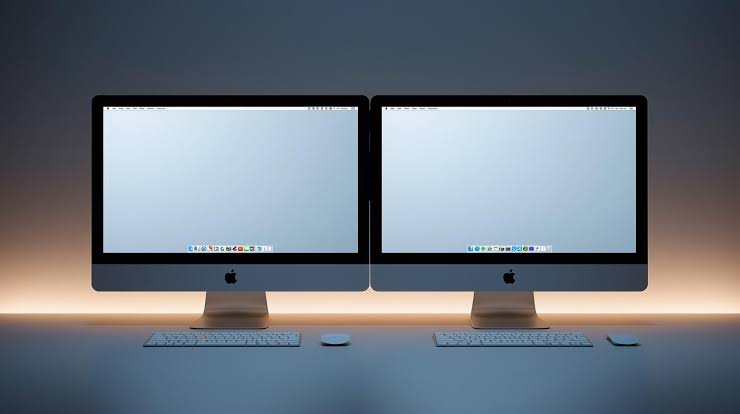

Remote software development allows programmers to work together from different locations. iOS teams can share ideas, solve coding problems, and develop mobile applications without sitting in the same office. Cloud Mac workstations provide a practical environment for this working style. Each team member can access a remote Mac through an internet connection and use development tools such as Xcode.
Remote pair programming involves two developers working on the same programming task. One developer writes or changes the code while another checks the logic and suggests improvements. This method supports knowledge sharing and helps identify mistakes earlier. Cloud Mac workstations make this process easier by providing a shared development environment for distributed iOS teams.
What Is Remote Pair Programming?
Remote pair programming is a collaborative coding method that connects developers through screen sharing, remote desktop access, voice calls, or shared development tools. The developers discuss each step while working on a common task. One person may control the coding session while another reviews the changes.
Cloud Mac workstations give iOS developers access to macOS and compatible development software without requiring every participant to own a powerful Mac computer. A suitable hosting environment can provide consistent access to Xcode, project files, simulators, and development resources. This arrangement supports teamwork across different locations.
Why Cloud Mac Workstations Matter for iOS Teams
1. A Consistent Development Environment
Different computer settings can cause problems during collaborative development. One developer may use a different Xcode version or have missing project dependencies. Such differences can create errors that are difficult to reproduce.
Cloud Mac workstations help reduce these problems when the team uses a properly configured remote environment. Shared software versions and project settings make it easier to reproduce bugs and check code changes. Developers can spend more time solving programming problems instead of correcting setup differences.
2. Easier Collaboration Across Locations
Remote teams often include developers working from home, offices, or different countries. Travelling to a central office can waste time and increase project costs.
With cloud Mac workstations, team members can connect to a remote Mac and participate in coding sessions from different locations. Screen sharing allows both developers to follow changes as the code develops. Voice communication helps explain difficult programming decisions without requiring long written discussions.
3. Access to macOS Development Tools
iOS application development requires suitable Apple development tools. Xcode provides a workspace for writing Swift code, building applications, running tests, and checking application behavior.
Cloud Mac workstations provide remote access to a macOS environment where supported versions of Xcode can run. Developers can inspect project settings, review interface layouts, and investigate errors during a shared session. A suitable Mac configuration also helps support builds and simulator testing.
How Remote Pair Programming Works
Step 1: Prepare the Remote Mac
The team begins by selecting a suitable remote Mac configuration. The machine should have enough memory, processor capacity, and storage for the project. A stable internet connection is also important for responsive remote access.
Cloud Mac workstations should be configured with the required macOS version, Xcode release, development certificates, and project dependencies. Access permissions must be checked before a collaborative session begins.
Step 2: Connect Both Developers
The team selects a remote access method that supports the required workflow. Remote desktop software can display the Mac screen, while voice communication helps developers discuss changes. Source control allows project updates to remain organized.
Cloud Mac workstations can support this arrangement when remote access permissions and connection settings are configured correctly. Both developers should understand who controls the keyboard and mouse during each stage.
Step 3: Divide the Pair Programming Roles
The driver writes or modifies the code. The navigator checks the approach, considers possible errors, and suggests improvements. The developers can exchange roles after completing a function or reaching a useful checkpoint.
This arrangement encourages active participation. Cloud Mac workstations provide the working environment, while clear role assignments keep the session organized and focused.
Step 4: Test and Review Changes
The developers build the application and check the results. Xcode can help identify compilation errors and support testing through available simulators. The team records important findings and commits approved changes to the source control repository.
Cloud Mac workstations make repeated testing practical when the remote Mac has suitable resources. Regular checks also reduce the chance of carrying unresolved errors into later development stages.
Security and Performance Considerations
Remote collaboration requires careful access management. Each developer should use an authorized account with suitable permissions. Strong authentication and secure remote connections help protect project files and development credentials. Private keys and signing certificates should never be shared through ordinary chat messages.
Performance also affects the coding experience. Slow connections can create delays during screen sharing. Insufficient memory may affect simulator performance and application builds. Before choosing cloud Mac workstations, teams should compare available hardware resources, network quality, storage capacity, and access controls.
Project management is another important consideration. A shared task list helps developers understand current priorities. Clear naming rules and regular commits make changes easier to track. The Mac Task Manager app guide provides related information about managing tasks in a Mac environment.
For automated builds and testing, Apple’s Xcode Cloud documentation explains how cloud-based workflows can build applications, run tests, and distribute builds to testers. These capabilities can complement pair programming, although automated build services and remote Mac workstations serve different purposes.
Best Practices for Productive Sessions
Successful sessions require a clear goal. Developers should select one issue or feature before starting the call. Short sessions with regular breaks can help maintain concentration. Notes should record decisions, unresolved bugs, and the next development steps.
Cloud Mac workstations become more useful when teams follow consistent coding standards and maintain an organized source control process. Developers should discuss major changes before implementation. Frequent commits and code reviews also help protect project quality.
Teams should evaluate hosting costs based on actual usage. Some projects require continuous access to a remote Mac, while others need computing resources only during scheduled development hours. The right arrangement depends on team size, application complexity, testing requirements, and expected workload.
Conclusion
Remote pair programming gives iOS teams a practical way to share technical knowledge and solve coding problems across different locations. Cloud Mac workstations support this approach by providing remote access to macOS development tools and a consistent working environment.
With suitable hardware, secure access, clear communication, and organised source control, developers can collaborate more effectively. Careful planning also helps control costs and reduce technical problems. Cloud Mac workstations can therefore support a flexible development workflow for teams building and maintaining iOS applications.