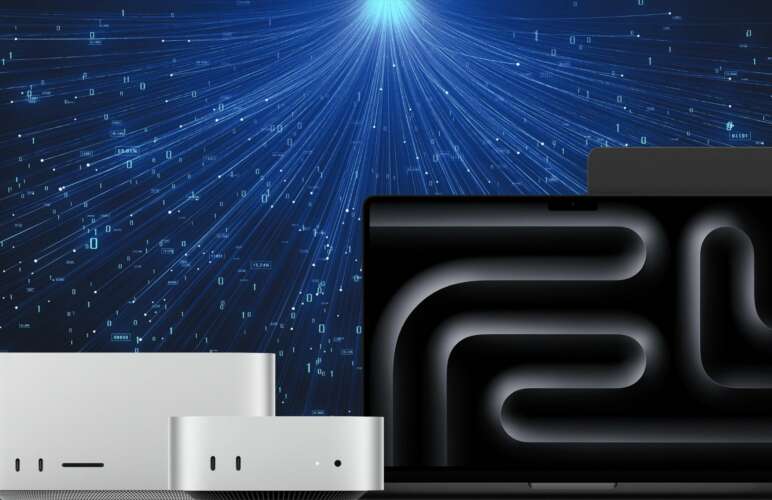

Machine learning requires computing resources that can handle large amounts of data and complex calculations. Developers often need suitable hardware to train models and test artificial intelligence applications. Apple Silicon provides an option for running machine learning tasks through its powerful processors and unified memory architecture. PyTorch and TensorFlow-Metal support machine learning development on compatible Mac systems. Remote Apple Silicon makes these tools accessible without requiring a dedicated Mac at the developer’s workplace.
PyTorch and TensorFlow-Metal can support different machine learning workflows on macOS. PyTorch is widely used for building and training neural networks. TensorFlow provides tools for developing machine learning models and managing training tasks. Metal helps supported operations use Apple’s graphics processing capabilities. A remote Mac environment can provide a practical workspace for these technologies.
Understanding Apple Silicon for Machine Learning
Apple Silicon combines the central processing unit and graphics processing unit within a unified architecture. The unified memory system allows supported components to access shared memory resources. This design can reduce unnecessary data movement during certain computing tasks. Memory capacity and software compatibility remain important when selecting hardware for machine learning.
PyTorch and TensorFlow-Metal can benefit from compatible Apple Silicon hardware when supported operations use the available acceleration features. Performance depends on the model structure, dataset size, software version, and workload. Not every operation receives the same improvement. Testing actual workloads provides a clearer picture of performance than relying on hardware specifications alone.
Remote Apple Silicon provides access to Mac hardware through a network connection. Developers can configure Python environments and manage machine learning projects from another computer. This arrangement can reduce the need to purchase and maintain separate Mac hardware. It also supports development workflows that require macOS-specific tools.
Setting Up PyTorch and TensorFlow-Metal
A reliable environment starts with a compatible macOS version and a suitable Python installation. Developers should check the requirements for each framework before installing packages. A virtual environment helps separate project dependencies and reduces conflicts between libraries. Package versions should remain consistent throughout development and testing.
PyTorch and TensorFlow-Metal require separate installation and configuration steps. PyTorch provides the Metal Performance Shaders backend through its supported MPS interface. TensorFlow uses the appropriate Metal plugin where supported by the selected software versions. Installation instructions can change as frameworks receive updates. The official PyTorch MPS documentation explains the supported backend and its configuration.
After installation, a basic test should confirm that the framework imports correctly. Developers can also check whether supported operations use the intended acceleration backend. Error messages may indicate missing dependencies or incompatible package versions. Keeping a record of the working environment makes future maintenance easier.
PyTorch and TensorFlow-Metal should be tested separately before both frameworks are included in a larger project. Separate tests help identify which package or configuration causes a problem. A small model can confirm that the environment works before larger datasets are introduced. This step saves time during initial setup.
Running Machine Learning Workloads Remotely
Remote machine learning requires a stable connection and suitable access to the Mac environment. Secure remote desktop software or approved command-line access can support development and administration. The selected access method should match the project’s security requirements. Strong authentication and restricted permissions help protect project files.
PyTorch and TensorFlow-Metal workloads can include model training, inference, data preparation, and experimental testing. Training involves adjusting model parameters using available data. Inference uses a trained model to produce predictions. Data preparation includes cleaning and transforming information before model execution. Each activity creates different demands on memory, processing power, and storage.
A remote Mac can keep development tools and project files within one environment. Developers can manage Python packages, execute training tasks, and review results through an established connection. Long-running jobs require suitable session management. Saved checkpoints help preserve training progress if a session ends unexpectedly.
PyTorch and TensorFlow-Metal projects also benefit from organised file structures. Training data, model checkpoints, configuration files, and output logs should have clear locations. Separate folders reduce confusion when multiple experiments are active. Regular backups provide additional protection against accidental deletion or system problems.
Managing Memory and Model Performance
Unified memory offers flexibility, but available capacity still limits the size of a workload. Large datasets and neural networks can consume substantial memory during training. Batch size is one setting that influences memory usage. Smaller batches may reduce memory pressure, although training speed and model behaviour can also change.
PyTorch and TensorFlow-Metal performance should be measured through repeatable tests. Training time, memory consumption, inference speed, and system load provide useful measurements. A consistent dataset and configuration make comparisons more meaningful. Developers should also consider initialisation time and data transfer overhead.
Not every machine learning model performs better on a Mac than on another platform. Certain operations may rely on unsupported features or require additional processing on the CPU. Compatibility checks help reveal these limitations early. Model architecture and framework support should guide hardware selection.
PyTorch and TensorFlow-Metal workloads can be improved through careful data handling and efficient model design. Removing unnecessary data copies may reduce overhead. Appropriate data types and batch sizes can also affect memory usage. Performance tuning should follow measured results rather than assumptions.
Security and Workflow Management
Remote environments require careful management of credentials and project access. Authentication details should remain private and should not appear in source files. Access permissions should be limited to approved accounts. Secure connections help protect information transferred between the local computer and remote Mac.
PyTorch and TensorFlow-Metal development can involve private datasets, experimental models, and valuable research results. Storage permissions and backup policies should reflect the sensitivity of these resources. Software updates should be tested before changes reach important projects. Dependency records also help reproduce earlier experiments.
Remote infrastructure can support a more organised development process when configuration and monitoring receive regular attention. Logs help identify failed tasks and unexpected resource usage. Checkpoints support recovery after interruptions. Clear documentation helps maintain consistent environments across projects.
Choosing a Suitable Remote Apple Silicon Environment
Hardware selection should reflect the expected workload rather than processor specifications alone. Smaller experiments may require fewer resources than large neural networks. Memory capacity, storage availability, network reliability, and remote access options all affect daily work.
PyTorch and TensorFlow-Metal users should confirm framework compatibility before choosing a remote Mac plan. The required macOS version and supported acceleration features deserve particular attention. Reliable infrastructure also helps maintain access during longer development sessions.
For organisations planning a broader remote Mac workflow, Mac build infrastructure provides related information about Mac-based development environments. A suitable setup can support repeatable processes while keeping hardware access aligned with project requirements.
Conclusion
Remote Apple Silicon offers a practical environment for machine learning development on macOS. Unified memory and supported Metal acceleration can help suitable workloads run efficiently. Successful implementation depends on compatible software, careful memory management, secure remote access, and regular performance testing.
PyTorch and TensorFlow-Metal provide useful options for developing machine learning applications on compatible Mac systems. A structured setup helps reduce configuration problems and supports more reliable experiments. With suitable infrastructure and clear maintenance practices, remote Apple Silicon can become a valuable part of an AI development workflow.