1. Understanding Security on Rented Cloud Macs
Rented cloud Macs provide access to Apple hardware through a remote connection. This setup supports app development, software testing, and other technical tasks without requiring a physical Mac at every workplace. However, storing files on a rented machine creates important security responsibilities. Cloud Macs Security helps protect business information from unauthorized access and accidental exposure.
Data centers use several methods to protect rented machines. These methods include physical access controls, network protection, user authentication, and secure storage management. Cloud Macs Security also involves removing sensitive information after a rental period ends. Proper protection is important for businesses handling source code, customer records, application credentials, and confidential project files.
2. Physical Security Inside Data Centers
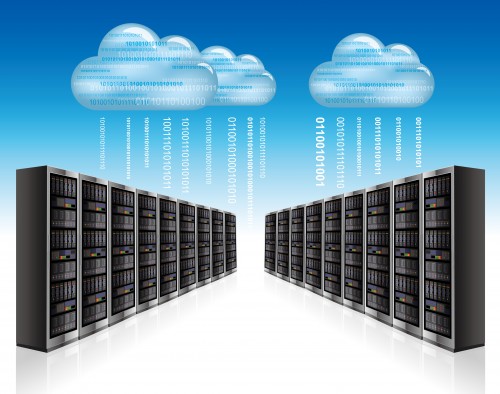
A data center contains servers, networking equipment, storage devices, and supporting infrastructure. Physical access must be controlled because unauthorized visitors could interfere with equipment or access sensitive systems. Many facilities use security cameras, access cards, visitor registration, and restricted entry areas.
Some facilities also require identity verification before granting entry to server rooms. Security staff monitor access and investigate unusual activity. These measures reduce the risk of equipment theft or unauthorized physical changes.
Physical protection supports Cloud Macs Security by limiting direct access to rented hardware. Dedicated Mac hosting can provide an isolated physical machine for a customer. However, dedicated hardware does not automatically guarantee complete security. Account permissions, network settings, and data handling procedures remain important.
3. User Authentication and Access Control
Access control determines who can connect to a rented Mac and which activities are permitted. Strong passwords and multi-factor authentication can reduce the risk of unauthorized account access. Multi-factor authentication requires an additional verification step beyond a password.
Data center operators should also limit administrative permissions. Standard accounts should not receive unnecessary access to system settings or other users’ information. Remote connections should use secure protocols and approved authentication methods.
Effective Cloud Macs Security requires careful account management throughout the rental period. Unused accounts should be disabled promptly. Temporary credentials should be removed after a project ends. Administrative access should be restricted to authorized personnel who need it for maintenance or troubleshooting.
4. Network Protection and Data Encryption
Rented cloud Macs communicate with remote users through a network. Unprotected connections may expose login details or sensitive information during transmission. Secure connection methods help reduce this risk. Firewalls can also restrict unwanted traffic and block connections from unauthorized sources.
Encryption protects information by converting readable data into a form that requires the correct key for access. Encryption during transmission protects information moving between devices. Encryption at rest protects stored information when supported by the operating system and storage configuration.
Cloud Macs Security benefits from both network protection and suitable encryption practices. Data center operators should monitor suspicious connections and maintain security updates. Customers should also avoid sharing account credentials through unsecured channels.
5. How Data Wiping Works After a Rental
Data wiping is the process of making stored information inaccessible through an appropriate sanitization method. When a rental agreement ends, project files, downloaded documents, credentials, and temporary data may remain on the machine. Leaving these items behind can expose confidential information to a later user or an unauthorized party.
Cloud Macs Security therefore requires a clear process for handling customer data after service termination. The process may include identifying stored information, removing customer accounts, sanitizing storage, and checking the result. A simple deletion command may not provide sufficient protection in every situation.
The correct method depends on the storage technology and the sensitivity of the information. Modern solid-state drives can behave differently from traditional hard drives. Secure erase functions, cryptographic erasure, or approved physical destruction may be appropriate in different circumstances.
For detailed guidance, the National Institute of Standards and Technology’s media sanitization guidance explains methods for protecting information during storage-media disposal and reuse.
6. Secure Data Removal and Verification
A reliable wiping process begins with an inventory of customer data and storage locations. Relevant information may include project folders, application caches, downloaded files, local credentials, and temporary exports. Backup copies and snapshots must also be considered because deleting the original file does not remove every existing copy.
Cloud Macs Security depends on selecting a sanitization method suitable for each storage type. Cryptographic erasure can make encrypted data inaccessible by destroying the necessary encryption keys, provided the encryption and key-management arrangements support this method. Other storage situations may require different sanitization procedures.
Verification is another important step. A service provider should check whether the selected process completed successfully. Records of the sanitization date, method, and result can support internal reviews and customer audits. Clear documentation provides stronger evidence than a general statement that files have been deleted.
7. Protecting Data Between Different Rental Customers
Shared environments require particular attention because one customer must not access another customer’s information. Account separation, permission controls, and proper machine preparation help prevent information from remaining available across rental sessions.
Cloud Macs Security is especially important when hardware is reassigned to a new customer. The previous customer’s accounts should be removed and relevant storage should undergo the required sanitization process. System preparation should also confirm that old credentials and confidential files are no longer accessible.
Dedicated hardware can reduce some risks associated with shared environments. However, the provider still needs a documented process for machine reassignment. Clear procedures help maintain consistent protection even when rental customers change frequently.
8. Choosing a Secure Cloud Mac Provider
Selecting a provider requires more than comparing monthly rental prices. Businesses should examine security policies, physical safeguards, access management, backup handling, and data sanitization procedures. Service agreements should explain how customer information is protected during the rental period and after termination.
Cloud Macs Security should also include clear responsibilities for both the provider and the customer. The provider manages infrastructure and agreed technical safeguards. Customers remain responsible for suitable passwords, application permissions, confidential files, and secure working practices.
For software projects involving browser-based applications, a suitable remote environment can support testing activities. The guide to testing progressive web apps provides related information about testing workflows.
Before selecting a service, procurement teams should ask whether data wiping is included in the rental process. Written confirmation of sanitization methods and verification procedures can help prevent misunderstandings. Cloud Macs Security should be evaluated through documented practices rather than marketing promises alone.
9. Maintaining Security Throughout the Rental Lifecycle
Security requires continuous attention from the start of a rental until the machine is returned to service. Initial setup should include approved accounts, suitable permissions, and necessary updates. During use, regular monitoring and responsible file handling help reduce avoidable risks.
At the end of the rental, access credentials should be revoked and stored information should be handled according to the agreed policy. The provider should confirm the completion of required sanitization procedures. Backup retention rules should also be reviewed before a rental account is closed.
Strong Cloud Macs Security combines physical safeguards, access controls, encryption, monitoring, and verified data removal. No single measure can eliminate every risk. A consistent security process helps protect confidential information while supporting reliable cloud-based development.