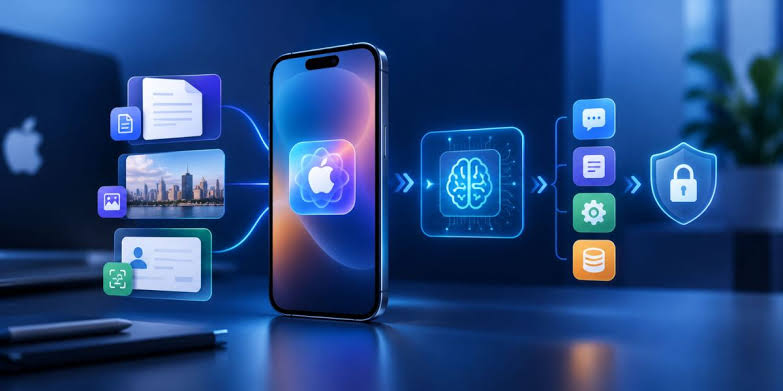

Mobile applications must work correctly across different devices and operating systems. Developers often use Flutter, React Native, and Unity to create applications for multiple platforms. Each platform can have different screen sizes, system features, and performance limits. Multi-device testing helps identify problems before an application reaches its users. Cloud-hosted Apple hardware provides access to real Mac computers and Apple development tools without requiring a dedicated Mac in every workplace.
This approach supports a more flexible testing process. Developers can check application behaviour across different configurations and improve software quality. Multi-device testing also helps development teams identify compatibility issues earlier and reduce the risk of unexpected failures after release.
Understanding Multi-Device Testing
Multi-device testing involves checking an application across different devices, operating system versions, and hardware configurations. The process examines whether an application displays correctly and performs its main functions as expected. It can include testing navigation, screen layouts, network requests, notifications, and device-specific features.
Apple devices require special attention because iOS and macOS have specific development requirements. An application that works correctly on one iPhone may display differently on another device. Older operating system versions may also behave differently from newer releases. Multi-device testing helps reveal these differences through planned and repeatable checks.
Cross-platform frameworks can reduce development time, but shared code does not guarantee identical results across every platform. Native components and operating system restrictions may affect the final application. Regular testing helps confirm that the application delivers a consistent experience. Multi-device testing provides a clearer view of application compatibility across different operating systems and hardware configurations.
Benefits of Cloud-Hosted Apple Hardware
Cloud-hosted Apple hardware allows developers to access remote Mac computers through an internet connection. These systems can support Xcode, iOS simulators, build tools, and automated testing environments. Developers can run tests without purchasing separate Mac computers for every project.
Multi-device testing becomes more flexible when a cloud environment provides access to suitable Apple hardware. Different projects can use separate configurations according to their testing requirements. This arrangement can help development teams manage resources more efficiently.
Cloud-hosted systems also support remote collaboration. Developers in different locations can access a shared testing environment when suitable permissions are available. Centralised configurations help maintain consistency across development tasks.
Another benefit is easier resource planning. A team can select an appropriate cloud Mac configuration based on application requirements. However, internet speed, hosting costs, and available hardware still need consideration. Multi-device testing delivers better results when the cloud environment matches the application’s technical needs. Multi-device testing using remote Apple computers can reduce the need for additional physical Mac equipment.
Choosing the Right Devices and Configurations
A successful testing plan should reflect the devices used by the intended audience. Testing every possible device combination may require excessive time and resources. A practical selection process can focus on common devices, important operating system versions, and configurations with higher technical risks.
Multi-device testing should include different screen sizes and resolutions. Smaller screens may reveal crowded buttons or poorly arranged content. Larger displays can expose spacing problems or unexpected layout behaviour. Orientation changes should also be checked when an application supports both portrait and landscape modes.
Operating system coverage is equally important. Tests should include the oldest supported version and a recent version of iOS. New releases can introduce changes that affect application permissions, background tasks, or interface behaviour.
Hardware differences also deserve attention. Processing speed, available memory, and device capabilities can influence application performance. Multi-device testing should prioritise combinations that are most relevant to the target audience instead of relying on a single default simulator. Multi-device testing should follow a documented device plan to keep testing activities organised and consistent.
Combining Simulators and Real Apple Devices
iOS simulators are useful for checking application layouts, navigation, and many functional requirements. Simulators can run inside Xcode and support repeated testing during development. A cloud-hosted Mac provides a remote environment for running these checks.
However, simulators cannot reproduce every feature of a physical device. Camera behaviour, certain sensors, battery usage, and real network conditions may require additional verification. Physical devices can reveal issues that remain hidden during simulated testing.
Multi-device testing works best when simulators and physical devices support different stages of the testing process. Simulators can handle frequent checks during development. Physical devices can verify important hardware-dependent features before release.
Apple provides official testing resources through XCTest documentation. XCTest supports automated tests for Apple platform applications. Its tools can help developers create repeatable checks for application functions and interface behaviour.
Automating Repeated Testing Tasks
Manual testing remains useful for evaluating visual quality and unusual user interactions. However, repeated manual checks can become time-consuming when an application supports many configurations. Automated tests help reduce repetitive work and provide consistent results.
Multi-device testing can include automated checks for login processes, navigation, form validation, and essential application functions. A test suite can run after code changes to identify regressions before a new build reaches the next development stage.
Continuous integration pipelines can connect code changes with automated builds and tests. A cloud-hosted Mac can act as a build environment for tasks that require macOS and Apple development tools. Test results can then guide further investigation.
Scheduling also supports regular maintenance tasks. For example, a remote Mac can run scheduled scripts that prepare reports or organise testing files. A practical guide to configuring cron jobs on Mac systems explains one way to schedule recurring tasks.
Automation requires regular maintenance. Outdated test data, changing interface elements, and unstable network connections can cause unreliable results. Multi-device testing should therefore include checks of test reliability and clear records of failures. Multi-device testing with automation helps identify repeated errors after application updates and code changes.
Managing Test Results and Performance
Test results become more useful when each run records the device configuration, operating system version, application build, and observed problem. These details help developers reproduce failures and identify possible causes.
Multi-device testing should examine both functional correctness and performance. An application may complete its main tasks while still responding slowly or consuming excessive resources. Important measurements include loading time, response time, memory use, and crash frequency.
Network conditions can also affect application behaviour. Testing with different connection speeds can reveal problems with image loading, data synchronisation, and remote services. Error messages should remain clear when a connection becomes unavailable.
A central record of test results helps track repeated issues. Development teams can compare results across builds and confirm whether a fix resolves the original problem. Multi-device testing becomes more effective when every failure has enough information for investigation.
Security and Cloud Environment Management
Cloud-hosted Apple hardware requires suitable access controls. Strong authentication and restricted account permissions help protect source code, test data, and development credentials. Unused accounts should be removed when access is no longer required.
Sensitive information should not appear in test logs or sample data. Certificates and signing credentials require secure storage. Remote sessions should follow the hosting provider’s security recommendations.
Multi-device testing also benefits from separate development and testing environments. This separation reduces the chance of accidental changes to important project files. Regular backups and documented recovery procedures can help protect testing resources.
Conclusion
Cloud-hosted Apple hardware provides a practical option for testing applications across different Apple configurations. A clear device selection plan, a combination of simulators and physical devices, and reliable automation can improve testing quality. Multi-device testing offers stronger release confidence when functional checks and performance results are reviewed together.
Multi-device testing helps identify compatibility problems, performance concerns, and functional errors before release. Careful result tracking and appropriate security controls strengthen the process further. With a structured approach, cross-platform developers can maintain more consistent application behaviour while managing testing resources efficiently.