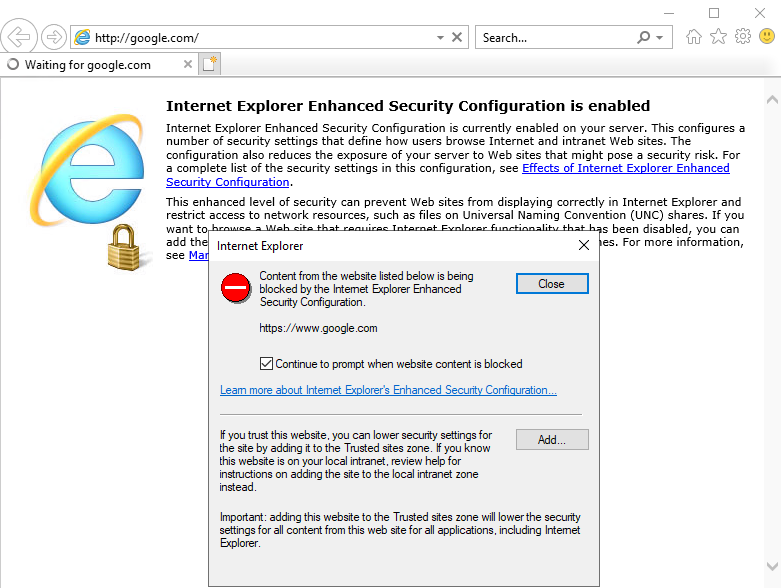
Trouble using Internet Explorer?Here’s a simple guide to disable Enhanced Security. Windows Server edition is not meant for browsing the internet, that is why this security option is enabled by default.
Disable Internet Explorer Enhanced Security To disable Security Explorer Enhanced Security, follow these steps:
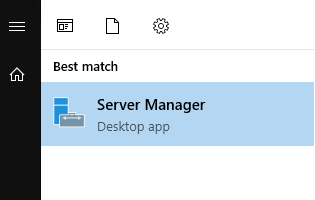
Open ‘Server Manager’ from the Start Menu.
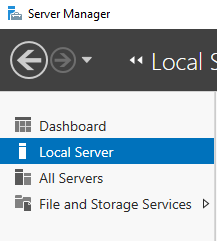
2.In ‘Server Manager’ go to ‘Local Server’.
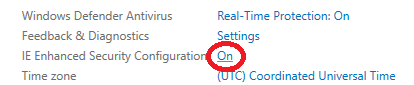
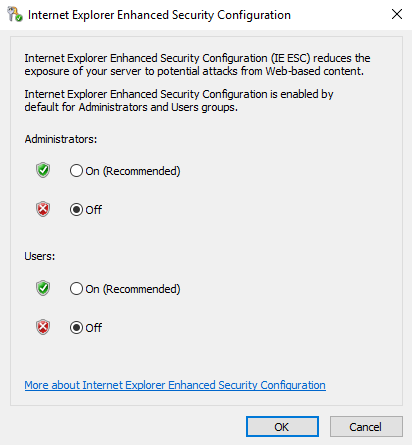
3.On the right side, locate ‘IE Enhanced Security Configuration’. Click on it.
4.Set both options to ‘Off’ in the opened panel and click ‘OK’.
5.Disable both options in the opened panel and click ‘OK’.”